
Best Chore Apps and Chart Systems for Families With Kids
If your child already knows which chores are theirs but still needs reminders, a new app might help—or it might give you another dashboard to maintain. A magnetic chart can make tasks visible without a screen, while a paper checklist may be all you need.
This guide compares three chore apps, one magnetic responsibility chart, and a low-cost hybrid system. Rather than naming one winner for every family, it looks at what each option actually manages, what it costs, who has to maintain it, and when you should skip it.
How this guide was prepared: This is an independent, research-based comparison of provider websites, product listings, and app-store descriptions checked in November 2026. We have not purchased or hands-on tested these systems. Prices, subscriptions, regional access, and features can change.

Quick Picks: Which Chore System Fits Your Family?
- For recurring chores and digital rewards: S’moresUp is worth comparing if your family actually wants detailed assignments, progress tracking, and optional incentives.
- For chores tied to allowance: Homey — Chores and Allowance separates ordinary responsibilities from jobs that earn money.
- For household cleaning schedules: Sweepy focuses on rooms, cleaning frequency, and distributing cleaning work rather than children’s general life-skills tasks.
- For younger children who need something visible: The Melissa & Doug Magnetic Responsibility Chart offers a reusable physical board, provided its small parts are age-appropriate for your household.
- For families who want to spend little or nothing: A paper chart paired with an adult’s existing phone reminders is the simplest place to start.
A useful rule: Don’t pay for automatic reminders until you’ve checked whether the problem is forgetting the task, understanding the task, or finding time to do it. Software can help with the first problem; it cannot automatically solve the other two.
What Matters More Than the Number of Features?
We compared the five approaches using the same practical questions:
- Visibility: Can your child find today’s job without an adult explaining the system each time?
- Repeating tasks: Does it handle a weekly or daily responsibility without constant rebuilding?
- Who updates it: Can another caregiver manage the system, or does everything fall back to one parent?
- Rewards: Can you use it without turning every household contribution into a points competition?
- Cost: Is there a subscription, a one-time purchase, or only the cost of materials you already own?
- Privacy and safety: Does it require a child’s account, photos, financial details, or small detachable parts?
These are editorial comparison criteria, not scores from a product test. Features described below are based on what the providers currently publish; they are not guarantees about how well an app will work in your home.
S’moresUp — For Families Who Want Digital Chores and Rewards
Best fit: A household with multiple recurring assignments that wants to manage chores, progress, and rewards in one digital place.
S’moresUp offers family profiles, chore scheduling, and reward tracking. Its app-store description lists advanced scheduling, automatic chore allocation, reward approval, and reporting among paid features. It also advertises family communication features, which are not essential for every chore-tracking setup.
Why choose it: You may find value in automated assignments if different children have different recurring jobs and caregivers need shared visibility.
Why skip it: A preschooler with two simple jobs probably doesn’t need a feature-heavy digital system. Points, penalties, and approval requirements may also turn chores into negotiations if your family doesn’t want that structure.
Price check: In November 2026, the S’moresUp direct subscription page displayed promotional prices of $7.99 per month or $79.99 per year alongside higher $9.99/month and $99.99/year amounts. The provider also advertises other family-platform tiers through a related website. Check that you’re looking at the exact product and subscription level you want, and confirm the amount at checkout rather than assuming every advertised tier is equivalent.
Before paying: Check which scheduling and reward features remain available without Premium, whether the children need individual accounts, and which adults can approve or edit tasks. Review the current terms for trials and automatic renewal.
Homey — For Chores, Allowance, and Saving Goals
Best fit: A family that wants to distinguish regular household contributions from optional earning opportunities.
Homey — Chores and Allowance by HomeyLabs Inc. supports one-time and repeating chores, allowance records, and savings goals. Its listings explicitly distinguish responsibilities that are not paid from jobs that may earn money.
Why choose it: If your family already uses an allowance, this distinction may make the rules easier to explain without paying for every basic task.
Why skip it: If you aren’t using allowances or savings tracking, its financial features add complexity without addressing a simple chore-reminder problem.
Price check: The US Google Play listing described subscriptions at $4.99 per month or $49.99 per year. Other app stores show multiple purchase options and different prices, so compare the exact plan offered on your device. Bank-transfer functionality is listed as US-only and subject to eligibility; don’t assume it works in Canada or elsewhere.
Before paying: Check who can view a child’s money records, whether you need bank connections at all, and whether the app’s free functions cover simple task assignments. The app-store age rating does not, by itself, establish the age at which a child may open an account.
Sweepy — For Room-by-Room Cleaning Responsibilities
Best fit: A household whose main challenge is remembering and distributing cleaning tasks across rooms.
Sweepy organizes cleaning around rooms and tasks, with progress indicators, workload-sharing features, and options for generating a cleaning schedule. It also offers gamified elements, such as a leaderboard.
Why choose it: If cleaning the bathroom, vacuuming, and changing bedsheets are the recurring jobs your household struggles to organize, a room-based view may be more useful than a general children’s reward chart.
Why skip it: It is not primarily designed around learning life skills, allowances, or picture-based reminders for younger children. Also consider whether competition between family members would be helpful or distracting.
Price check: The US Apple App Store listed optional purchases at $3.99 per month or $19.99 per year when reviewed. Sweepy’s App Store terms describe a three-day subscription trial that converts to paid billing unless canceled. Actual pricing and feature access can differ by device and location.
Before paying: Create a few rooms and tasks first. Confirm whether the particular family-sharing or automatic scheduling feature you want is included in your plan. A cleaning app is only useful if the people assigned the jobs can see their part of the schedule.
Melissa & Doug Magnetic Responsibility Chart — For Screen-Free Tracking
Best fit: A child who likes moving physical markers and can use a chart safely with an adult nearby.
The Melissa & Doug Magnetic Responsibility Chart is a reusable hanging board with spaces for seven goals across the week, a dry-erase surface, and magnets showing responsibilities, behaviors, and rewards.
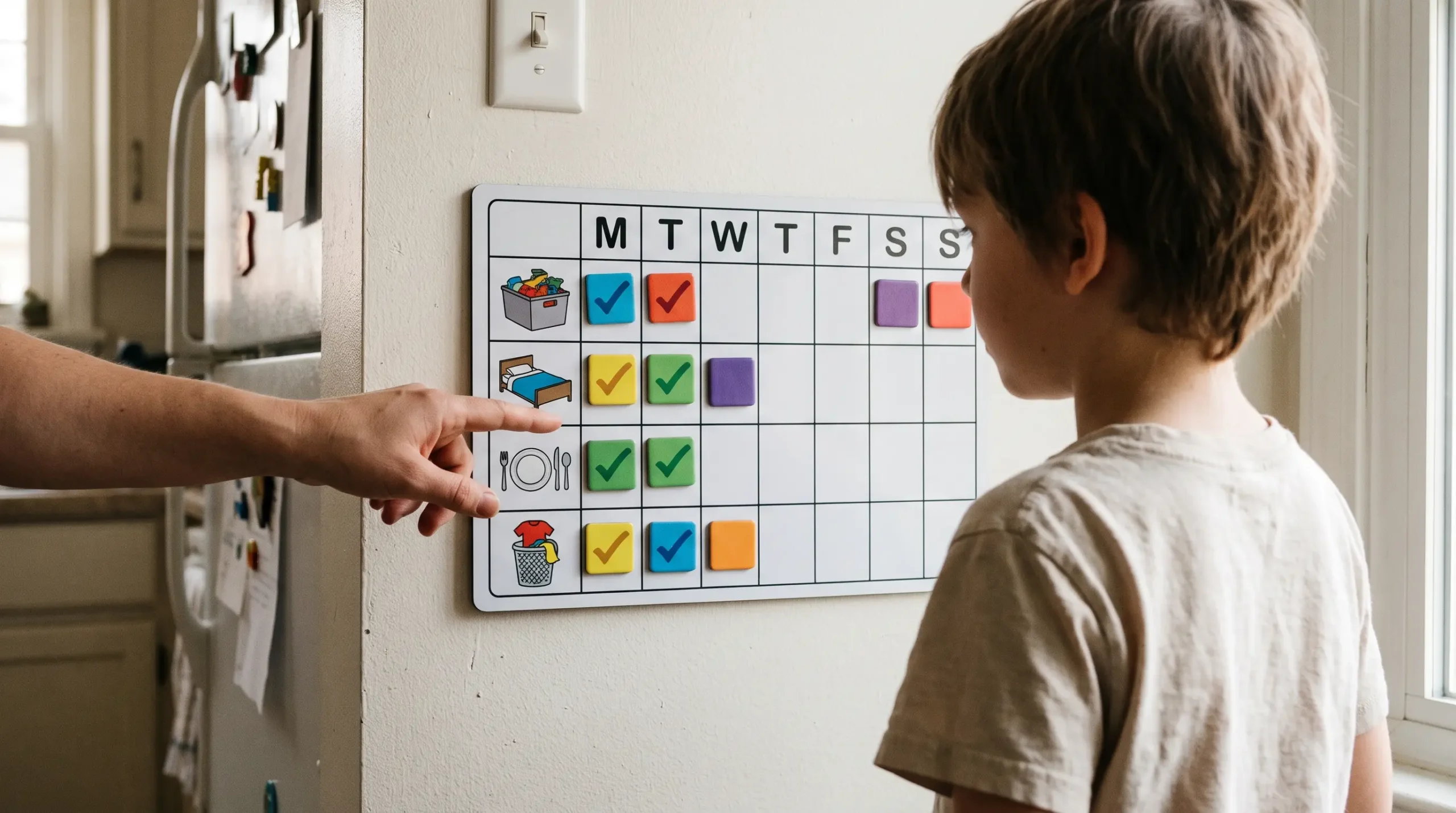
Why choose it: A child can see the agreed job and mark progress without a phone, password, or app notification. The board is reusable, so you don’t need a new sheet every week.
Why skip it: Someone must update the board manually. The preset labels might not match your family’s tasks, and the goals-and-rewards approach may be more than you need. It also won’t send reminders when a child is away from home.
Price check: The manufacturer’s US listing showed approximately $30.99 as a one-time product price when reviewed. Retailer availability, versions, shipping, and taxes vary.
Safety matters: The manufacturer warns of a choking hazard from small parts and says the product is not for children under three. Keep detachable magnets out of reach of younger siblings. If magnets are swallowed or suspected to have been swallowed, seek urgent medical help; swallowed magnets can cause serious internal injury.
Practical distinction: A magnetic chart may be a useful visual system, but you are purchasing the board and its convenience—not automatic follow-through. If the child already responds well to a paper checklist, this purchase may add little.
The Hybrid Option — Paper for Kids, Reminders for Adults
Best fit: Families with children of different ages or anyone who wants a simple chart without another subscription.
A hybrid system can be as basic as one printed checklist on the refrigerator and one repeating phone reminder for the adult responsible for checking it. Younger children can use pictures; older children can read their own short task lists.
You can start with the Free Printable Age-Appropriate Chore Chart for Kids, which provides a ready-to-use weekly chart and a blank version. This is a separate free resource, not a sixth paid product in the comparison.
Why choose it: Little setup, no separate child login, no recurring app fee, and easy changes when chores or abilities change.
Why skip it: It won’t automatically synchronize across households or track complex rotating assignments. An adult still has to keep the paper updated, so it may be awkward for caregivers coordinating from different locations.
Cost: Potentially nothing beyond materials you already have. If you choose a reusable whiteboard or protective sleeve, that’s an optional one-time purchase rather than an app subscription.
Which Chore System Fits Your Family in Practice?
Imagine three different households. Each needs a different kind of tool:
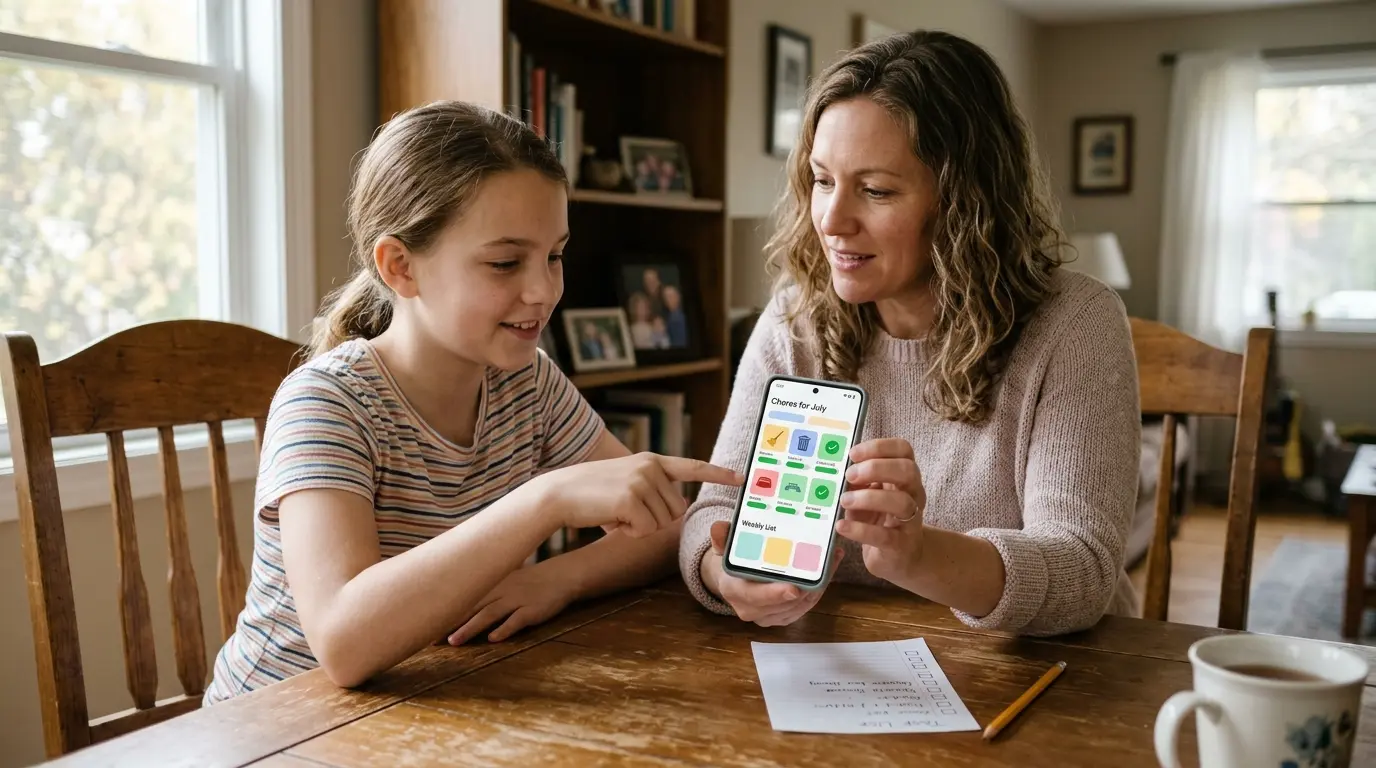
A five-year-old with two regular jobs
Putting toys away and setting out napkins can fit on a single picture-based paper chart. An app subscription is unlikely to add much. A magnetic board is an option only if the physical markers are safe in your home and your child finds them useful.
Two older kids with rotating weekly tasks
If children alternate dishes, laundry, and other responsibilities across a busy schedule, S’moresUp may be worth comparing with a shared task list you already use. The deciding factor is whether automatic assignments actually replace manual coordination.
A family already using allowance for extra jobs
Homey may be more relevant because it separates unpaid responsibilities from optional earning opportunities. If the main need is a record of chores rather than money, start with a simpler list.
For households tracking cleaning across several rooms, Sweepy is the more relevant specialist. For a mixed-age family that dislikes additional apps, the hybrid option is still a strong first choice.
Deciding who should do which chore is a separate question from selecting a chart. See How to Divide Household Chores Fairly as a Family for that wider responsibility discussion.
Check the Real Cost, Not Just the Monthly Price
The systems use different payment models, so their prices aren’t directly interchangeable:
- Paper or hybrid: Usually the lowest upfront cost; an adult does more of the manual updating.
- Magnetic board: A one-time purchase, but no remote access or automated reminders.
- Subscription app: Ongoing cost in exchange for digital features that may include repeated scheduling, syncing, or rewards.
Before paying annually, check the exact renewal price, trial end date, cancellation method, and whether a subscription covers the family or individual accounts. A low monthly figure isn’t automatically a bargain if only one person uses the app.
Also count the maintenance cost in your time. If an adult spends every evening approving completed tasks, fixing assignments, and handling points disputes, a feature-rich system may create more work than it removes.
Try the System for Seven Days Before Committing
Here’s a practical comparison you can run with a free or trial version, a chart you already own, or an ordinary sheet of paper. It isn’t a scientific test; it’s a way to see whether the system fits your household.
- Choose two real chores. One daily and one weekly task are enough. Make sure each child knows what completion means.
- Give the system one job. Put the task, person responsible, and due day in the app or chart. Don’t build a complex reward store or track every household activity yet.
- Check whether the child can find the next task. Ask them where they would look, without walking them through the entire system.
- Notice the adult work. Did someone still have to assign, remind, verify, and reset everything manually?
- Test one change. Move a chore to another day or switch who is responsible. See whether updating the system is straightforward.
- Review on day seven. Ask what helped, what was confusing, and whether the family would actually continue using it.
Keep the system if: Everyone can see their responsibilities, the reminders are manageable, and the setup doesn’t create more work than before.
Simplify or switch if: Children can’t access it, tasks are regularly hidden behind menus, rewards become arguments, or one caregiver still has to manually reconstruct every day’s schedule.
If repeated prompting remains the main problem regardless of which tracker you use, How to Get Kids to Do Chores Without Constant Reminders addresses that separate issue.
Privacy and Safety Checks for Children’s Chore Systems
- Child accounts: Verify the service’s account-age rules and parental controls. An app-store content rating is not permission for a child to register independently.
- Photos: If the app offers photo proof, ask whether it’s necessary. Pictures of bedrooms, schoolbags, or the inside of your home can reveal information you don’t need to upload.
- Money tools: Use bank connections only if you need them and the service supports your location and account type. Read payment permissions and privacy information first.
- Notifications and rewards: Turn off unnecessary alerts or competitive elements if they create stress. Basic participation does not need a leaderboard.
- Physical charts: Check small-parts warnings, mounting stability, and accessibility. Detachable magnets may be unsafe around younger children.
For age-appropriate responsibilities, the American Academy of Pediatrics emphasizes manageable tasks, teaching children what to do, and not expecting perfection. A chart or app should support that learning rather than become a measure of a child’s worth.
Our Final Recommendations
Start with paper if you’re unsure. It reveals whether your household needs a better reminder or something more sophisticated without requiring a purchase.
Choose a physical chart when visible, hands-on progress matters and the board is safe for every child who can reach it. Consider S’moresUp when rotating digital chores and rewards justify an ongoing subscription. Consider Homey when allowance and savings are part of the plan. Choose Sweepy when the main work is organizing cleaning across rooms.
For the bigger weekly picture of appointments and responsibilities, the Free Printable Weekly Family Planner can complement whichever chore tracker you use.
The best choice is the smallest system that makes responsibilities clear without turning one caregiver into the full-time manager of the system itself.
Pricing note: Reference prices above were checked in November 2026, primarily for US listings. Providers may change plans, app-store prices, regional availability, trial rules, and promotional offers. Confirm the current total and renewal terms before paying.